PLAYER SUPPORT
Keep playing.
Keep creating.
Help for every side of MosaBloom: place blocks, uncover mosaics, animate your ideas and connect your games.
Find your answerUpdated October 1, 2026 · iOS 1.0.1
CHOOSE YOUR TOPIC
One game. More to explore.
Classic
Find room. Build your score.
Get help →02Adventure
Follow the trail. Reveal a mosaic.
Get help →03Block Studio
Turn cleared shapes into animation.
Get help →04Cross Relay
Let two modes create another puzzle.
Get help →05Slide Challenge
Slide sideways after unlocking it.
Get help →↗Linked play
See what your current game is making.
Get help →YOUR PLAY CONNECTS
A clear can start something new.
- Play Classic & AdventureClear lines and collect shapes.
- Open the Link journalSee stamps, recordings and relay progress.
- Create or try another routeMake a Studio animation or connect a relay.
PRACTICAL ANSWERS
From your next move
to your next creation.
Gameplay, unlocks, saved works and troubleshooting.
How your data is handledHow do I play Classic?
Drag one of the three shapes onto an empty space on the 8 × 8 board. Fill a complete row or column to clear it. Leave space for the rest of your tray and keep building your score.
How does the Adventure trail work?
Adventure levels have score targets and colored collection goals. The trail groups levels into chapters of six. Each win reveals another mosaic tile. Browse with the chapter arrows, return to your current level, or use Home to choose another mode.
What can I make in Block Studio?
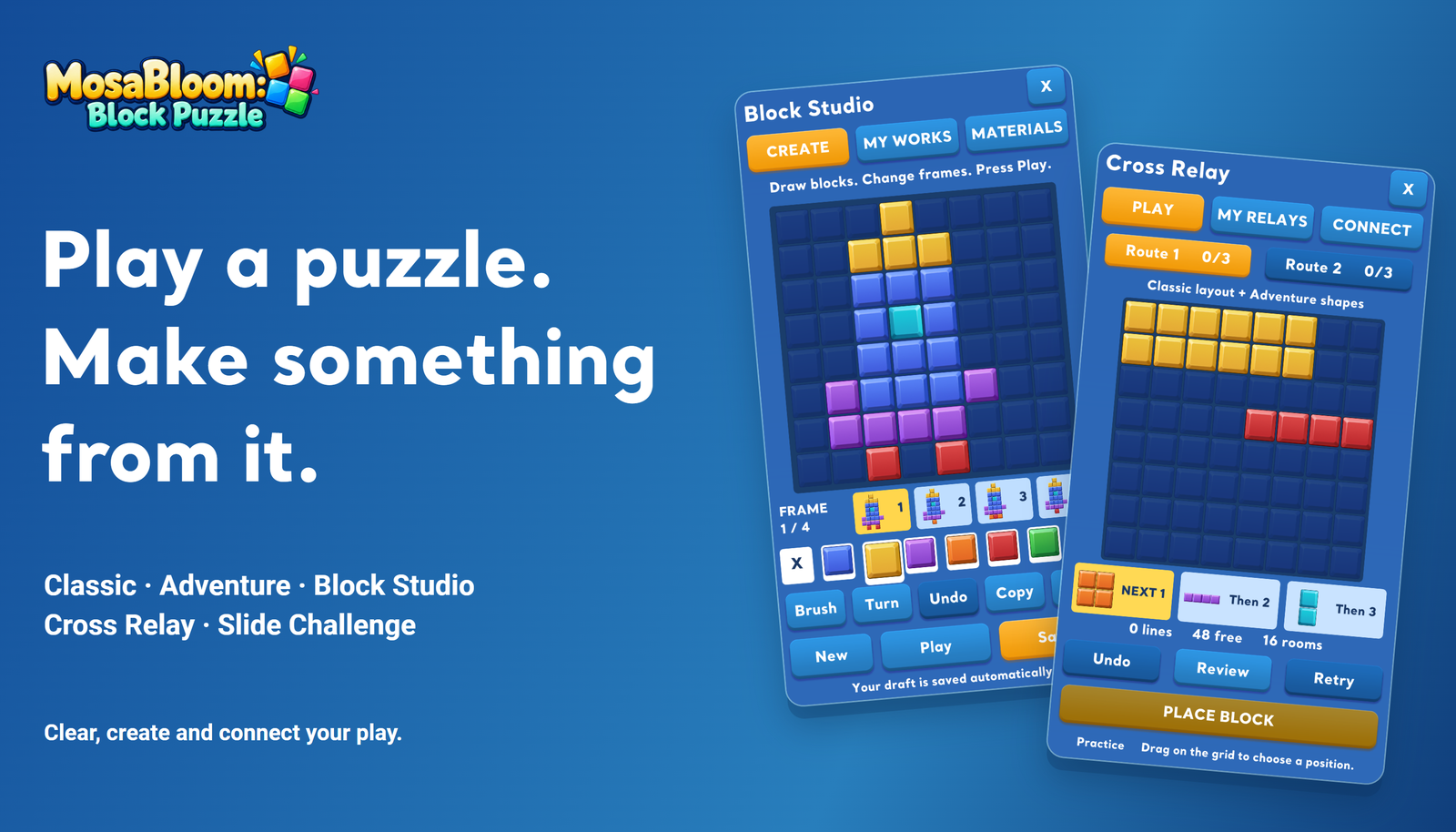
Open Block Studio from Home to draw on an 8 × 8 canvas. Choose a brush or collected stamp, paint a frame, then select another of the four frames. Use Turn, Undo, Copy and Move to edit; press Play to preview your animation. Your draft saves automatically. Save adds an editable creation to My Works, which holds up to 24 creations.
Where do stamps and blueprints come from?
Qualifying clears in Classic and Adventure add cleared shapes to your Studio materials. Blueprints unlock at 0, 4, 10, 20, 35 and 55 cleared lines. Repeating a shape does not necessarily add a new stamp. Line totals and distinct shapes are different kinds of progress.
How do Classic and Adventure connect in Cross Relay?
Complete three qualifying clears in each mode to collect a board layout and three shapes from that mode. Open Cross Relay → Connect to pair a Classic board with Adventure shapes, then try the reverse pairing as the second route. Practice is available before you collect both sources. Each mode keeps up to four recent source sets; My Relays holds up to 12 saved relays.
Why is my relay progress not increasing?
Place and clear blocks in both Classic and Adventure. A qualifying clear advances the three-clear counter once, even if it clears multiple lines. Special obstacle boards do not supply relay sources. Replaying the same recorded move does not create another reward. Check the Studio/Relay indicator or Link journal to see which mode still needs clears.
What does the relay comparison show?
After placing three pieces in a route, open Review to step through your placements and one possible solution. Compare cleared lines, empty cells and room for 3 × 3 shapes. You can continue from an earlier step to explore another arrangement. The reference is not a guaranteed best score or another player’s performance.
What are the Studio/Relay prompts during a game?
They show progress toward creative materials and relay sources while you play. Open the Link journal through the in-game entry or settings to inspect collected stamps, blueprint unlocks, source shapes and your latest recorded clear. From there, view stamps, make an animation, connect sources, or choose Back to game to return to your current board. A recorded clear is block-game data, not a camera or screen recording.
When does Slide Challenge unlock?
Slide Challenge unlocks after a total of two hours of active play and a subsequent round settlement. Time in menus, advertisements or a suspended app does not count toward that total. Once available, move blocks sideways to fill rows and manage the rising stack. Slide does not contribute sources to Cross Relay.
Can I sync, share or recover my creations?
Progress, Studio drafts and saved works, relay sources and saved routes, and Link journal records stay on this device. There is no game account, public gallery or developer-operated cloud sync. You can reopen saved works and relays in their collections, or delete an item using its remove control and confirmation. Deleting the app or changing devices can lose local data; we cannot restore it from a server. Device backups, if enabled, are managed by your device or backup provider.
Do I need an internet connection?
Puzzle play, Studio editing and relay puzzles use local game data. The app may contact public websites for a network time check and can fall back to the device clock. Visiting these help pages, sending email or using an external link needs a connection. The Privacy Policy explains these separate network activities.
The game freezes or has no sound. What should I try?
Close and reopen the app, restart your device, check available storage and install an available app update. For sound, check in-game audio settings, device volume, silent mode and the connected audio output. Avoid deleting the app as a first step because your progress and creations are stored locally. Tell us the mode, level or editor action that caused the issue.
Why is an advertisement or ad-based option unavailable?
The current iOS version does not include a live advertising service. An option that depends on a rewarded advertisement may be unavailable. An unavailable ad does not count as a completed reward. If this stops you from continuing, email the game mode, level and steps that led to it.
How do I report a bug or make a privacy request?
Email [email protected]. Include your app version, device model, iOS version, affected mode and steps to reproduce the problem. For Studio or Relay issues, say whether you were editing a draft, saving a work, connecting sources or reviewing a route. Screenshots are optional; hide unrelated personal information. Never send passwords or payment details. For a privacy request, tell us which support correspondence you want us to review.
MOSABLOOM: BLOCK PUZZLE
Play a puzzle.
Make something from it.
Your Classic and Adventure clears can become drawing stamps, four-frame animations and playable relay routes. Explore at your own pace, then come back to something you made.